
A well-crafted team charter is more than a document; it's a foundational agreement that aligns members on purpose, goals, and operational norms. Without this shared understanding, teams often face preventable friction, misaligned priorities, and unclear communication channels, which can stifle productivity and morale. For HR and Operations leaders in Canada and the United States, establishing a clear framework from the outset is crucial for fostering high-performance cultures, especially within remote or hybrid environments. This is where a strategic team charter makes a significant difference, acting as a constitution for team collaboration and accountability.
This resource is designed to cut through the noise and guide you directly to the most effective team charters templates available today. We’ve analysed leading platforms and resource hubs to provide a curated list tailored for practical application. Instead of just listing options, we provide a detailed breakdown for each, helping you select the right tool based on your team's specific context, whether you're a fast-moving project squad or a permanent operational department.
Inside this guide, you’ll find:
- A comprehensive look at templates from platforms like Miro, Atlassian, and Asana.
- Direct links and screenshots for quick evaluation.
- Specific use-case scenarios to match the template to your team's needs.
- Guidance on implementing and iterating on your charter for continuous improvement.
This article moves beyond simple templates by showing you how to connect your charter to tangible outcomes. While traditional HR surveys or engagement platforms might tell you if employees are satisfied, they often fail to explain why or how team dynamics impact business results. By integrating your charter's principles with a business intelligence tool like Wurkn, you can measure its impact on key performance indicators and employee sentiment, transforming a simple document into a dynamic tool for organisational health. Let’s explore the best templates to build your team's blueprint for success.
1. Atlassian Confluence
Atlassian offers a structured and highly functional team charter template directly within its Confluence platform, making it an excellent choice for organisations already integrated into the Atlassian ecosystem. This template is designed as a "living document," allowing teams to collaboratively define their mission, roles, values, communication norms, and success metrics in a centralised, editable space.
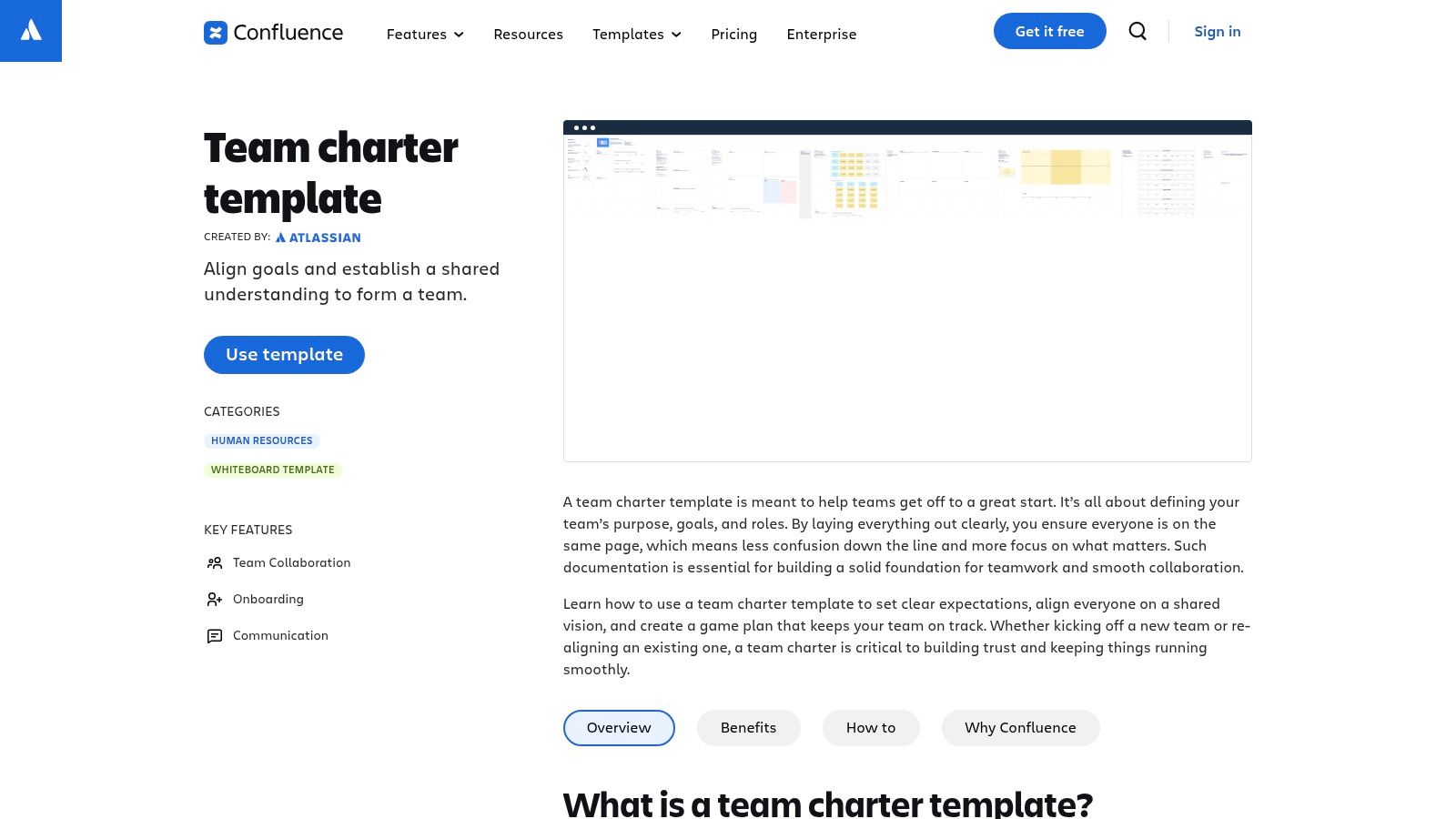
What sets this option apart is its deep integration with other Atlassian products, particularly Jira. Teams can link charter objectives directly to Jira epics or tasks, creating a clear line of sight from high-level team agreements to daily operational work. This connection helps ensure the charter isn't just a document that gets created and forgotten; it becomes an active part of the project management lifecycle. The real-time collaboration, commenting, and version history features are robust, which is critical for maintaining alignment in fast-paced or distributed teams. For insights on how such tools support team alignment, you can explore strategies to improve workplace communication.
Key Considerations
- Best Use Case: Project-based teams, agile software development squads, and any department already using Jira and Confluence for documentation and project tracking.
- Access: A Confluence account is required. The template is available on both free and paid plans, but advanced features like granular permissions are tied to premium tiers.
- Limitations: The primary drawback is its dependence on the Atlassian suite. If your organisation doesn’t use Confluence, adopting it just for this template may be impractical. Its value is maximised when used as part of a broader, integrated toolset.
Link: Atlassian Confluence Team Charter Template
2. Mural
Mural provides a dynamic and highly visual team charter template built for real-time, synchronous collaboration. It functions as a digital whiteboard where teams can use virtual sticky notes to collectively define their purpose, goals, roles, values, and ground rules. This canvas-style approach is ideal for interactive workshops, whether in-person or remote, making the charter creation process an engaging team-building activity rather than a static administrative task.
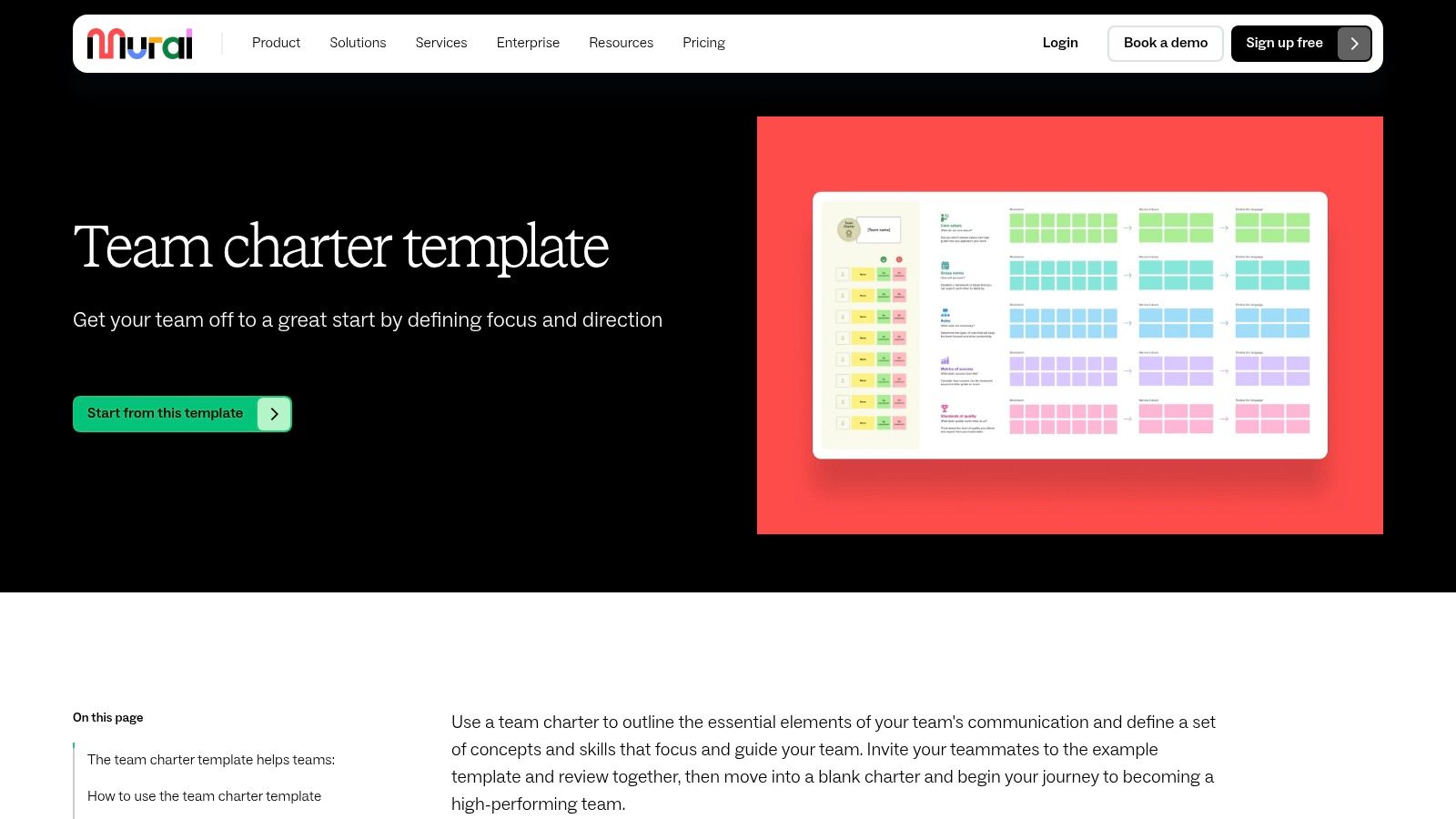
What makes Mural stand out is its emphasis on facilitated, guided sessions. The template often includes step-by-step instructions and facilitation tips directly on the canvas, guiding leaders through the process of running an effective chartering session. This built-in guidance helps ensure all critical conversations happen and that every team member has a voice. The platform’s ease of use and its adoption by numerous North American businesses, as documented in various industry reports, speak to its effectiveness in driving alignment and collaboration in a visually intuitive format, turning abstract concepts into a concrete, shared agreement.
Key Considerations
- Best Use Case: Remote or hybrid teams kicking off a new project, cross-functional squads needing to establish shared norms, and leaders looking to facilitate an interactive team alignment workshop.
- Access: A Mural account is required. A free plan offers access to a limited number of murals, while paid tiers unlock unlimited canvases, advanced facilitation tools, and better export options.
- Limitations: The experience is optimised for live, collaborative sessions, making it less ideal for asynchronous work. While the final canvas can be exported, its core value is in the interactive creation process, and some features are restricted without a paid subscription.
Link: Mural Team Charter Template
3. Miro
Miro transforms the team charter from a static document into a dynamic, visual collaboration space. Its team charter template is presented on an infinite digital whiteboard, making it ideal for interactive workshops, especially for remote or hybrid teams. This approach encourages real-time brainstorming and co-creation, allowing team members to use digital sticky notes, diagrams, and other widgets to build out their collective mission, roles, and operational guidelines.
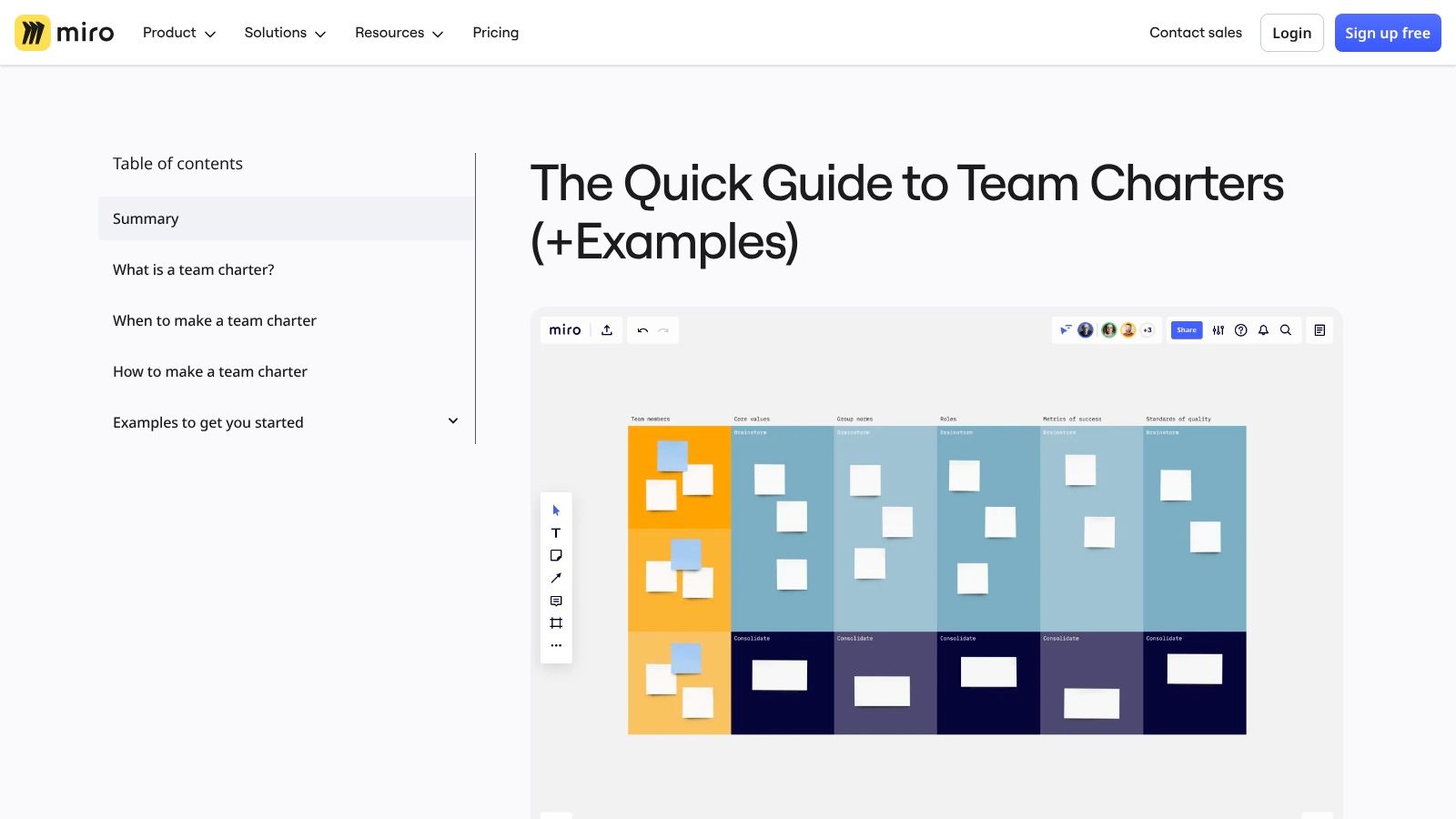
What truly distinguishes Miro is its vast "Miroverse," a community-driven library of templates that offers countless variations on the standard team charter, like the popular Team Canvas. This ecosystem allows teams to find a format that perfectly matches their workflow and culture. The platform’s strength lies in facilitation; leaders can guide a session, gather input simultaneously, and organise ideas fluidly. This collaborative process is fundamental for building a positive team culture where every member feels their voice is heard. The ability to easily export boards as PDFs or images ensures the charter can be shared and referenced outside the Miro environment.
Key Considerations
- Best Use Case: Remote or hybrid teams, workshop facilitators, and organisations looking for a highly interactive and visual method to create and maintain their team charter.
- Access: A Miro account is required. The core template and basic features are available on the free plan, but advanced tools, integrations, and unlimited private boards are part of paid subscriptions.
- Limitations: While excellent for creation, its utility as a day-to-day reference document depends on the team's ongoing engagement with the Miro platform. Without active use, the charter might become an isolated artefact rather than an integrated guide.
Link: Miro Team Charter Template
4. Smartsheet
Smartsheet offers a comprehensive resource hub featuring a curated library of team charter templates, making it a versatile option for organisations that prefer flexibility in their tools. Unlike platform-specific solutions, Smartsheet provides templates in multiple downloadable formats, including Word, Excel, Google Docs, Google Sheets, PowerPoint, and PDF, allowing teams to work in their preferred applications without being tied to a single ecosystem.
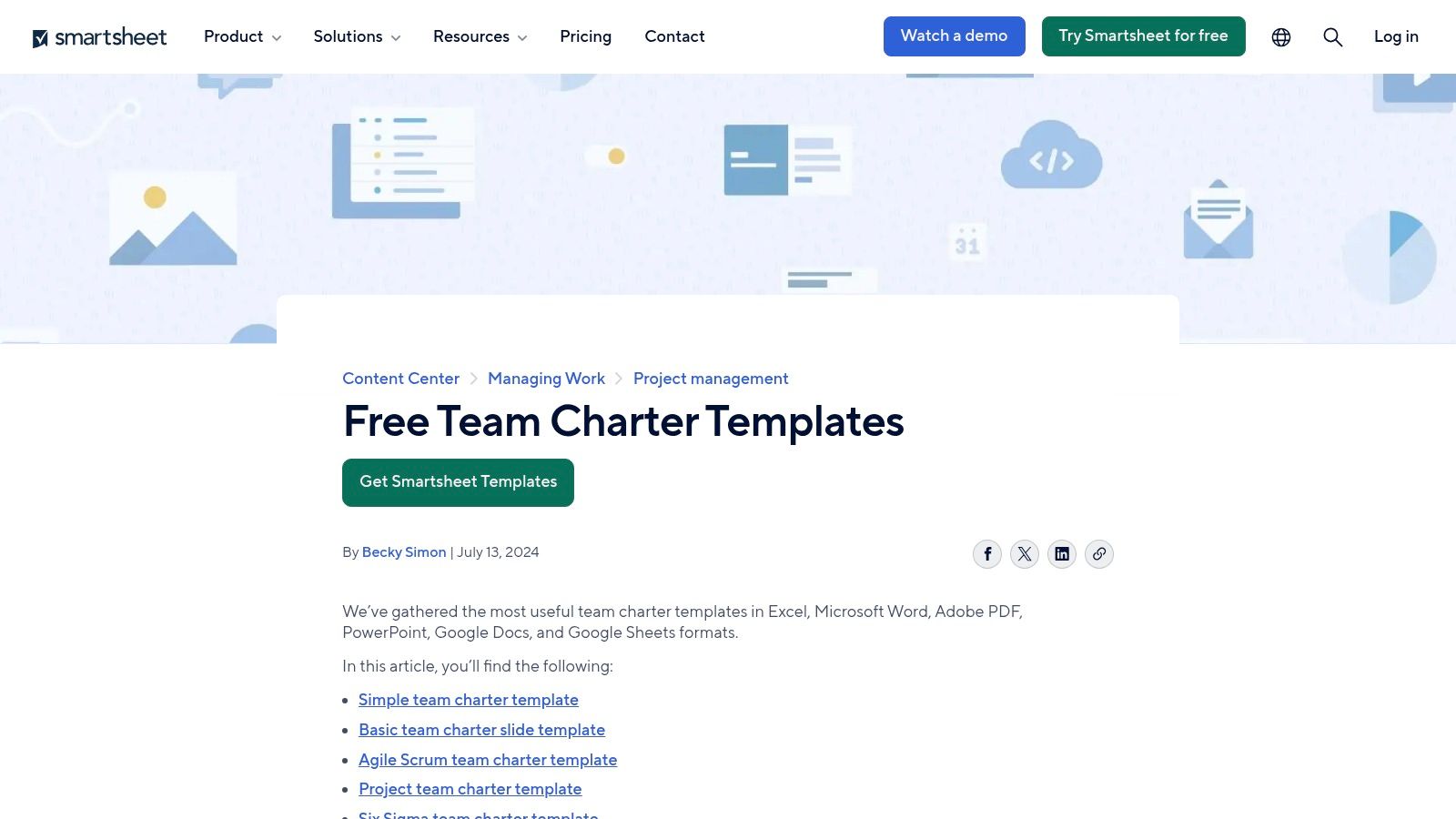
What sets this collection apart is the breadth of its offerings, which includes industry-specific variants tailored for methodologies like Agile and Six Sigma, or for specialised sectors such as healthcare—a significant industry in both the US and Canada. Each template is accompanied by guidance on its intended use case, helping leaders select the right framework for their team's unique context. This approach empowers teams to create a foundational document that is both relevant and practical, regardless of the project management software they use. The focus is on providing a solid, adaptable starting point for defining team objectives, roles, and operational guidelines.
Key Considerations
- Best Use Case: Teams seeking flexible, downloadable templates that can be used offline or integrated into existing, non-standardised tool stacks. It is also ideal for organisations needing specialised formats for Agile or Six Sigma projects.
- Access: The templates are free to download directly from the Smartsheet website. While the files can be used independently, integrating them into the Smartsheet platform for real-time collaboration requires a paid account.
- Limitations: The primary drawback of using the downloadable files is the lack of built-in, real-time collaboration. Unless uploaded into a collaborative environment like Smartsheet itself or Google Workspace, they function as static documents that require manual updates and distribution.
Link: Smartsheet Team Charter Templates
5. ClickUp
ClickUp provides a dynamic team charter template within its all-in-one productivity platform, making it ideal for teams that want to turn their charter into immediate, actionable tasks. Marketed as a "Project Charter" doc, it is designed for remote and virtual teams to collaboratively define scope, roles, timelines, and communication protocols in a single, centralised workspace.
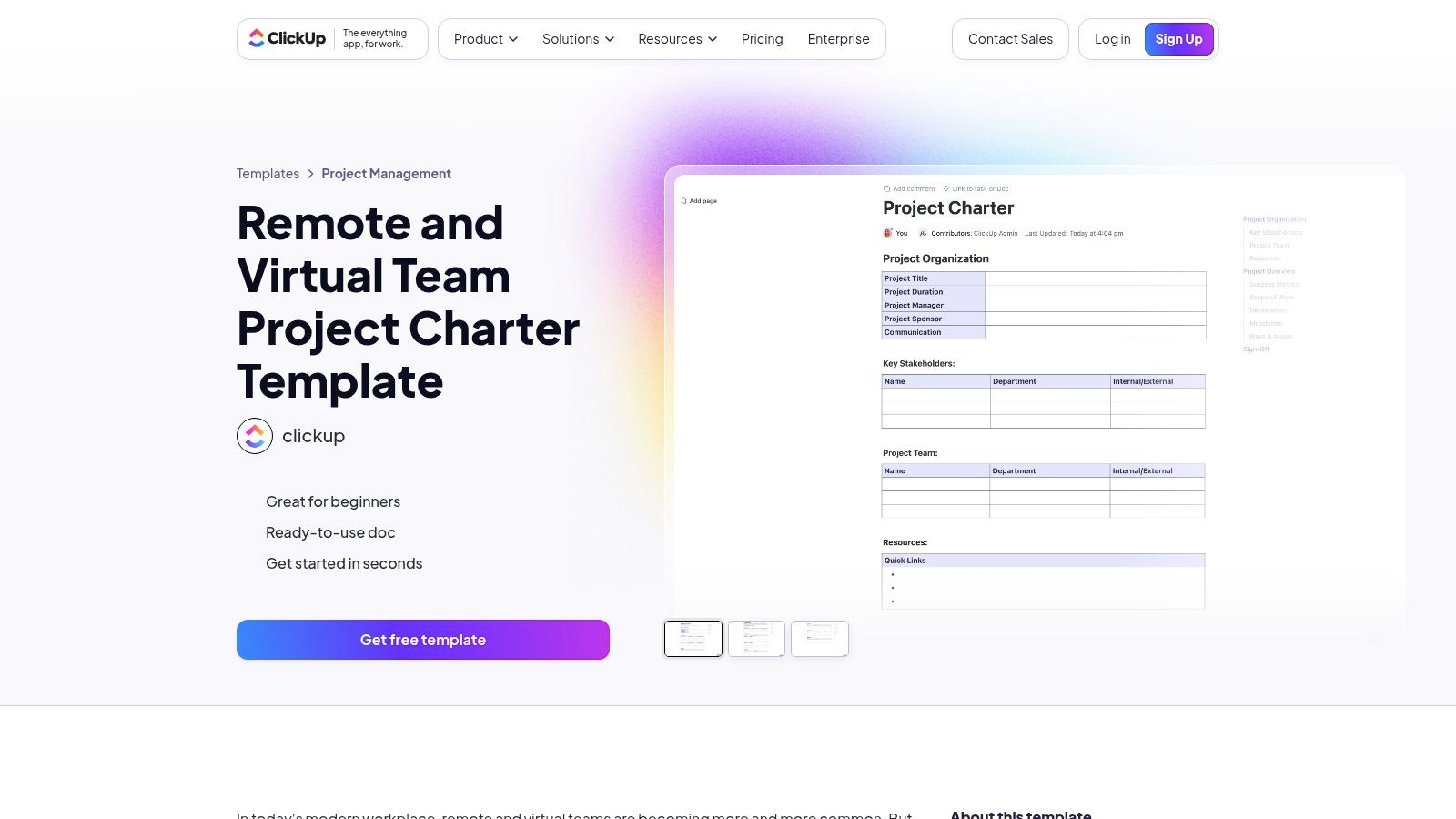
What makes ClickUp unique is its ability to operationalise the charter. Users can highlight any text within the charter document and instantly convert it into a task, assign it to a team member, and add it to a project workflow. This direct link between agreement and execution ensures the charter's principles are embedded in the team's daily operations. With customisable fields, statuses, and multiple project views (like Table, Calendar, and List), teams can track progress against charter goals directly within the tool, moving beyond a static document to a living project management framework.
Key Considerations
- Best Use Case: Remote or hybrid project teams, agile squads, and operations departments that need an integrated solution to both create and execute on their team charter.
- Access: A ClickUp account is required to access the template. It is available on their generous free forever plan, with more advanced features and user capacity on paid tiers.
- Limitations: The template is framed specifically as a "project charter," which may require some adaptation for teams creating a more general, ongoing team charter. The platform’s extensive features can also present a steeper learning curve for teams unfamiliar with comprehensive productivity tools.
Link: ClickUp Project Charter Template for Remote Teams
6. Asana
Asana transforms the static team charter into a dynamic, actionable project plan with its purpose-built team charter template. Designed within its work management platform, this template allows teams to organise their mission, roles, norms, and operating principles as distinct tasks and sections. This structure makes the charter a living part of the team's daily workflow, where each element can be assigned, tracked, and managed.
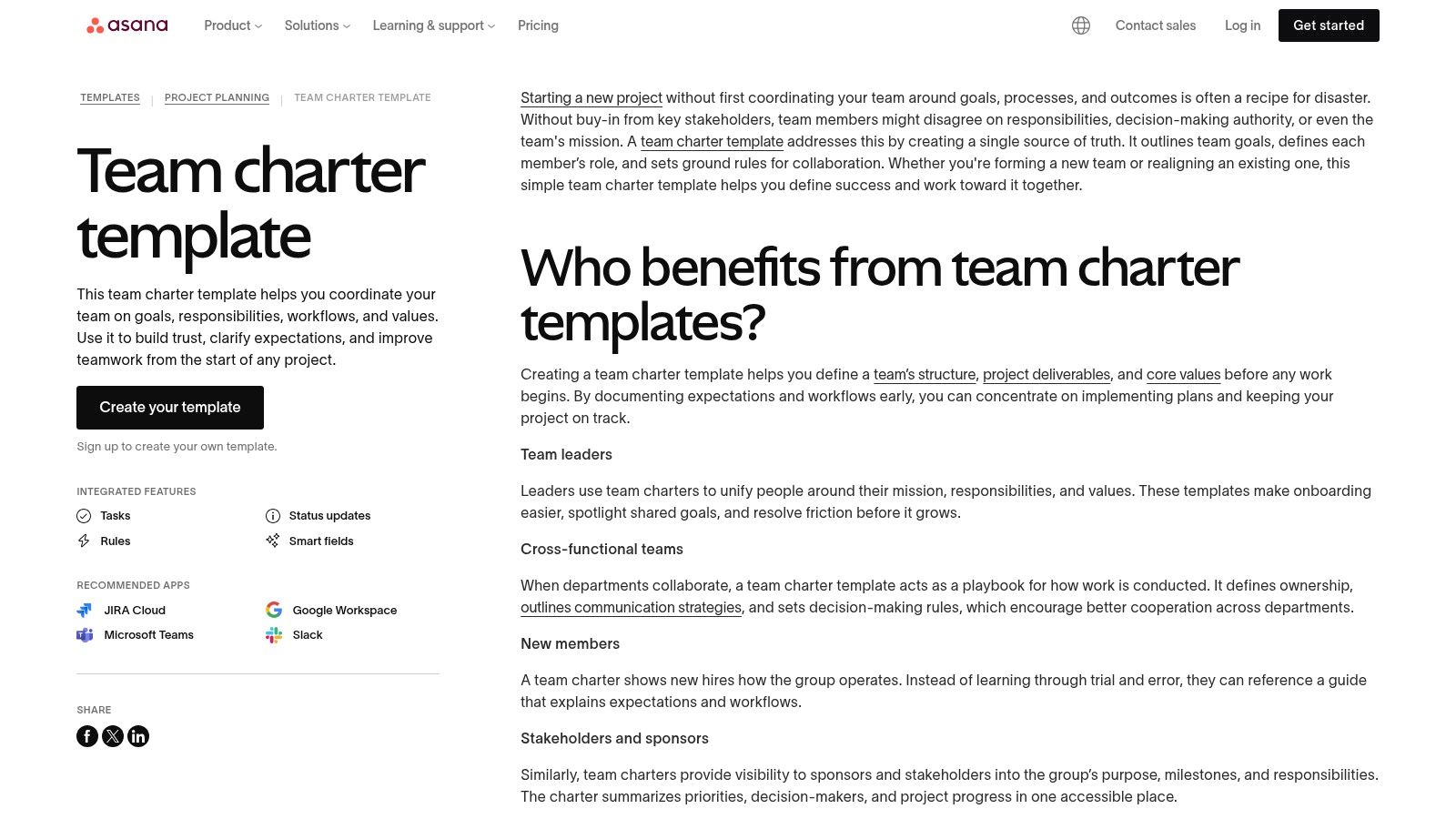
What makes Asana’s approach unique is its emphasis on accountability. By converting charter components into assignable tasks with due dates, it ensures clear ownership for upholding team agreements. For example, the "Communication Norms" section can have a sub-task assigned to the team lead for a bi-weekly check-in. The ability to switch between list, board, and timeline views provides flexibility in how the team visualises its commitments, while integrations with tools like Slack and Google Drive keep the charter connected to where work actually happens.
Key Considerations
- Best Use Case: Teams already using Asana for project management who want to integrate their charter directly into their task-tracking environment. It’s ideal for organisations that value clear ownership and progress monitoring for foundational team principles.
- Access: An Asana account is required to use the template. It is available on free plans, but more advanced features like custom fields, approvals, and robust reporting are part of its paid tiers.
- Limitations: The template’s greatest strength is also its main limitation; its value is deeply tied to the Asana platform. For teams not using Asana, adopting the tool just for this purpose may not be practical. It functions best as an integrated component of a broader work management strategy.
Link: Asana Team Charter Template
7. Lucid (Lucidchart / Lucidspark)
Lucid offers a visually dynamic approach to team charters, providing team charter templates that function across both its Lucidchart diagramming tool and Lucidspark virtual whiteboard. This dual-platform availability allows teams to choose between a structured, diagram-based format or a more free-form, collaborative ideation session. It's an excellent solution for teams that want to visually map out their purpose, roles, communication protocols, and measures of success in an interactive, digital environment.
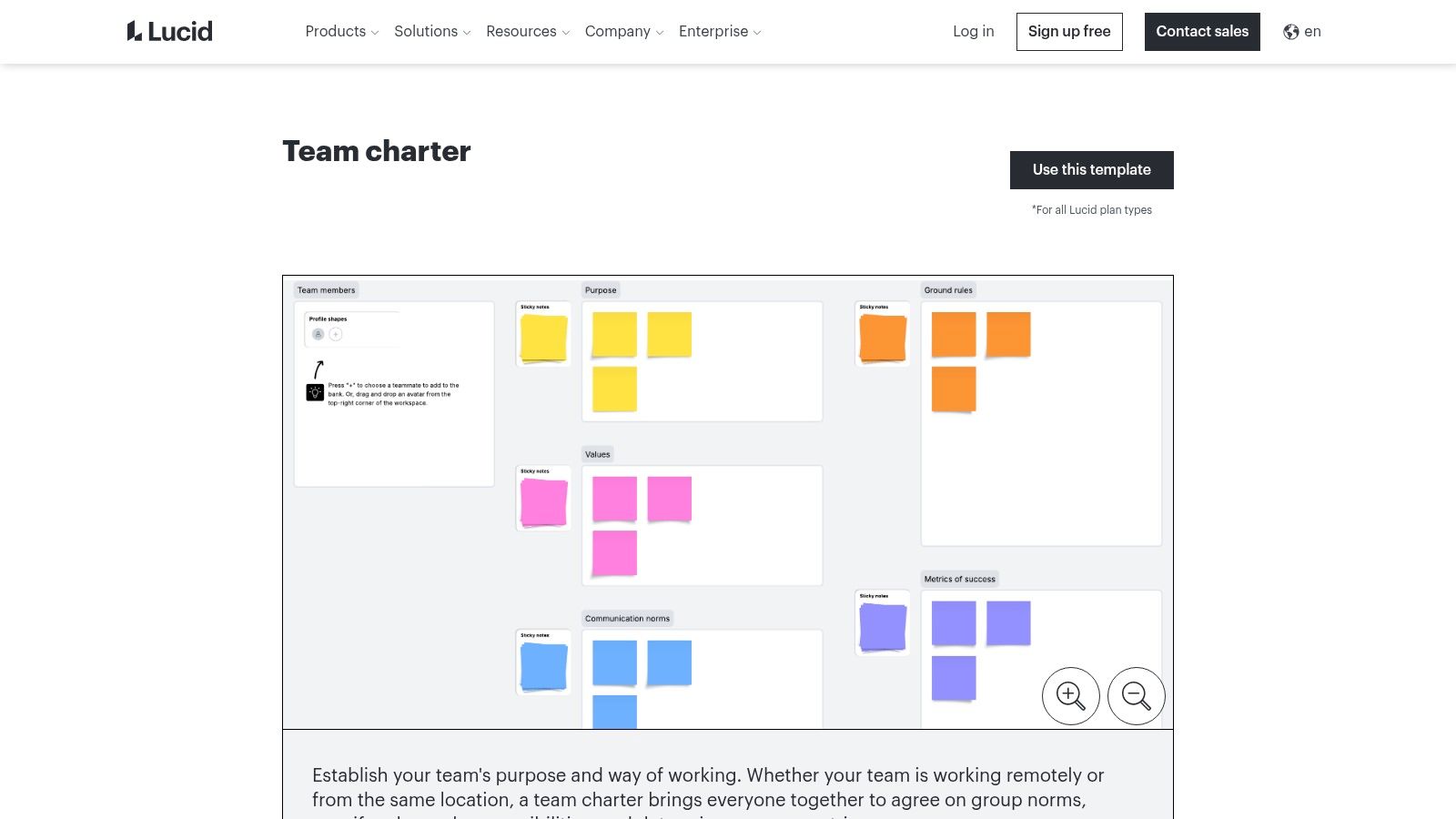
What makes Lucid stand out is its emphasis on visual collaboration and flexibility. A team can begin brainstorming its charter in a free-form Lucidspark session using digital sticky notes and then transition the finalised points into a more formal, polished diagram in Lucidchart. This caters to different working styles, from creative brainstorming to structured documentation. The strong integration with tools like Google Workspace and Microsoft 365 allows for easy embedding of charters into existing documentation, making the final document accessible where teams already work. The user-friendly interface ensures that even non-designers can create professional-looking and clear team agreements.
Key Considerations
- Best Use Case: Visually oriented teams, remote or hybrid teams needing a collaborative digital whiteboard, and organisations that want a flexible tool for both structured diagrams and creative brainstorming.
- Access: A Lucid account is required. Free plans offer basic access to templates and functionality, but advanced features like exporting high-quality documents and enhanced collaboration controls are part of paid subscriptions.
- Limitations: While versatile, the primary strength is in visual creation. Teams looking for deep text-based documentation features or direct integration with project management task tracking might find it less comprehensive than a platform like Confluence.
Link: Lucid Team Charter Template
8. Canva (Docs)
Canva offers a visually-driven and highly customisable approach to team charters templates through its Canva Docs platform. While many of its templates are labelled as "project charters," they provide an excellent and flexible foundation that can be easily adapted for broader team purposes. This option is ideal for organisations that prioritise branded, professional-looking internal documentation without needing extensive technical integrations.
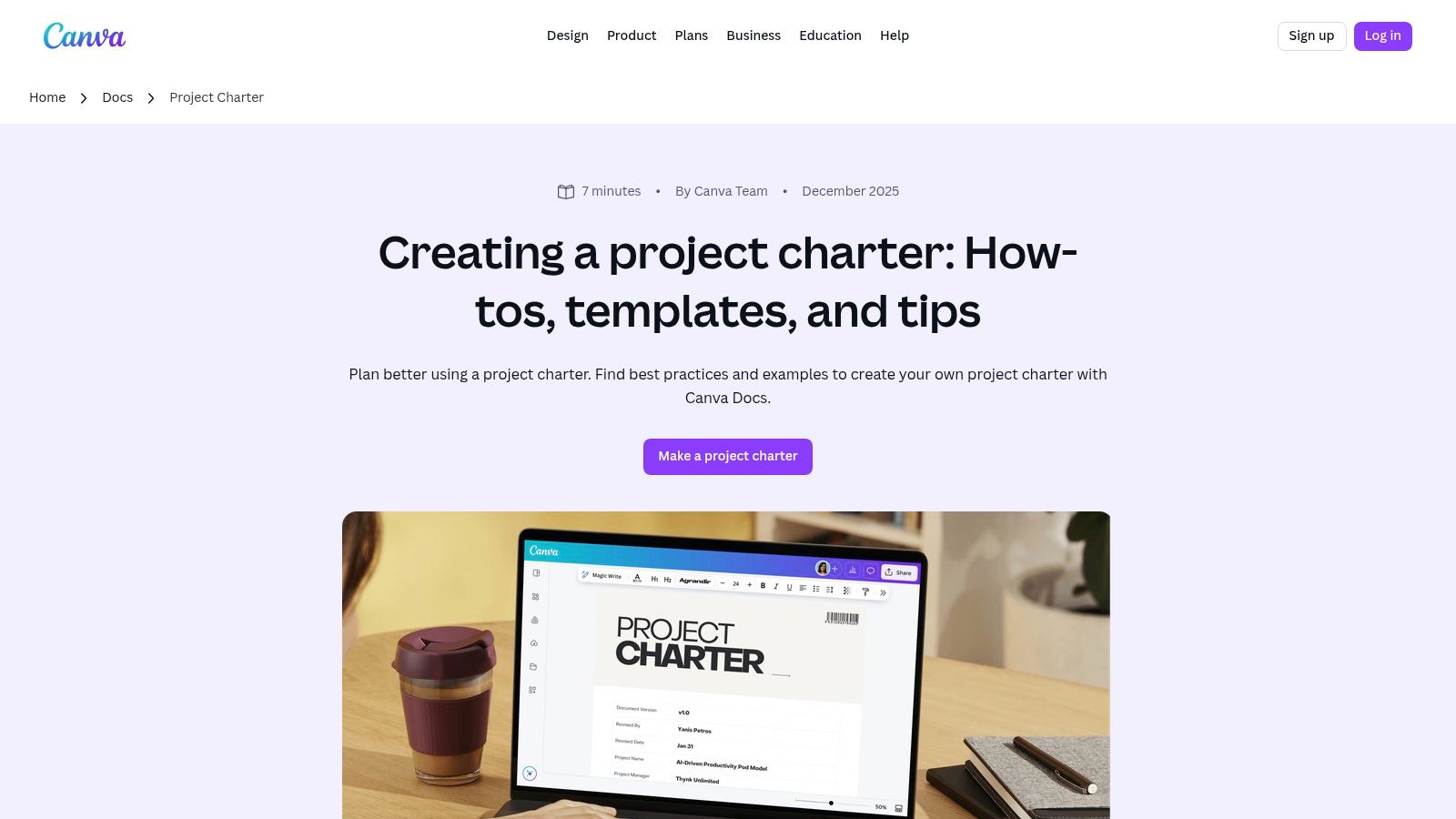
What makes Canva stand out is its powerful design-first interface combined with real-time collaborative editing. Teams can quickly infuse their charter with company branding, add rich visuals, and organise information in an engaging format that feels less like a dry corporate document and more like an inspiring manifesto. The drag-and-drop editor and extensive library of design assets empower anyone, regardless of design skill, to produce a polished charter. This focus on aesthetic and user-friendly design can significantly increase team buy-in and make the document a more frequently referenced resource.
Key Considerations
- Best Use Case: Creative teams, marketing departments, startups, and any organisation that wants to produce a highly-branded and visually appealing team charter quickly. It's also great for one-off charter creation workshops.
- Access: Many templates and basic features are available on Canva's free plan. However, access to the best design assets, premium templates, and advanced branding tools requires a Canva Pro or Canva for Teams subscription.
- Limitations: The primary drawback is its focus on design over deep functionality. It lacks direct integration with project management tools like Jira or Asana, making it a static document. Users will also need to manually adapt the "project charter" language and structure to fit a more general team charter context.
Link: Canva Docs Project Charter Templates
9. Template.net
Template.net offers a vast library of team charter templates, positioning itself as a comprehensive resource for teams seeking variety in format and specialisation. Unlike platform-specific tools, it provides a straightforward repository where users can find downloadable documents in formats like Word, Google Docs, and PDF. This makes it an ideal choice for organisations needing a quick, no-fuss template without committing to a new software ecosystem. The collection includes specialised variants for different methodologies, such as Scrum, Six Sigma, and even industry-specific charters for healthcare or project management.
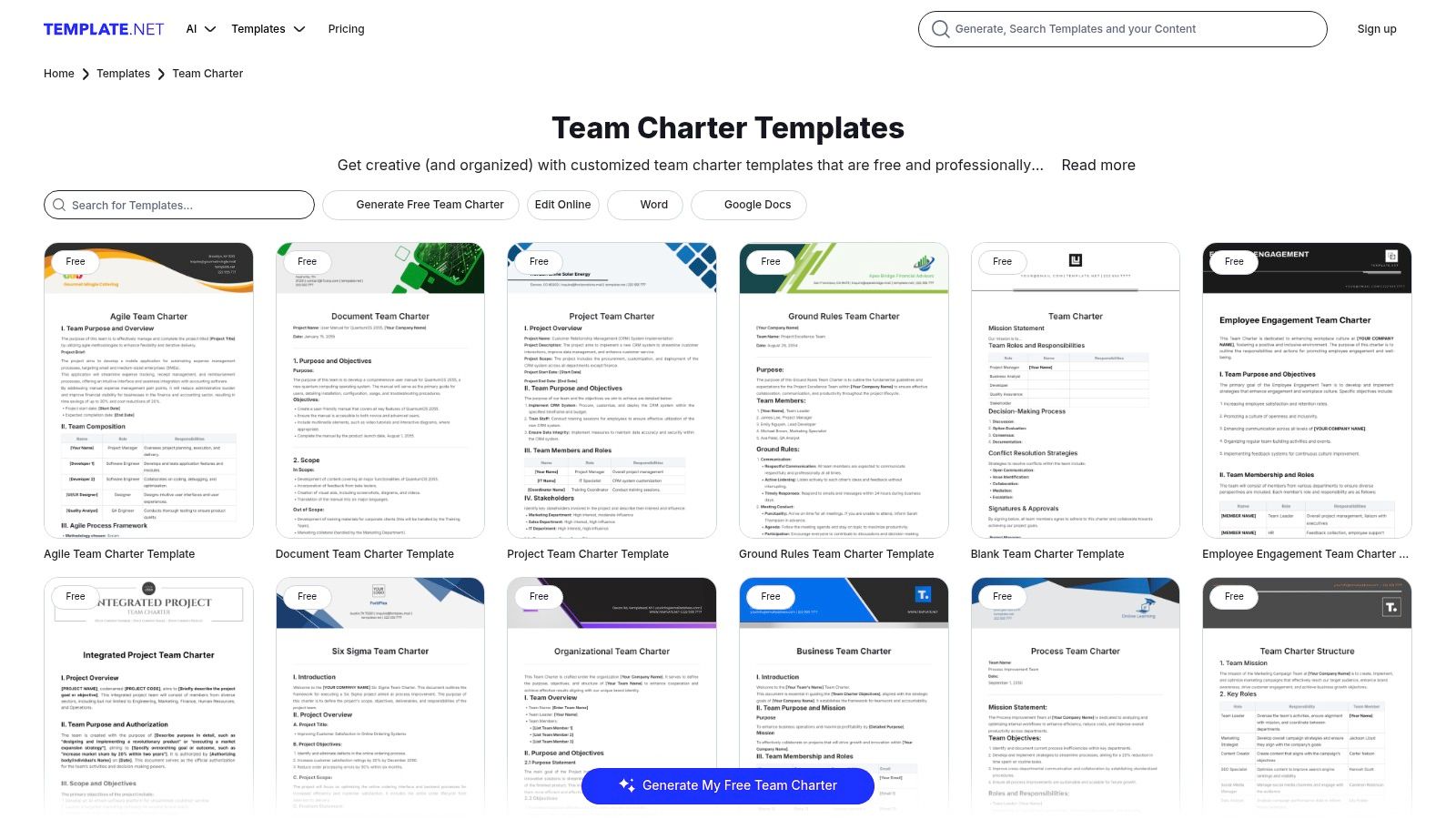
What sets this option apart is the sheer volume and diversity of its offerings. Whether a team needs a simple one-page charter or a detailed document outlining specific ground rules, there is likely a pre-built template available. This variety allows leaders to select a starting point that closely matches their team's specific context and operational framework. The ability to download and edit these templates offline in familiar software provides flexibility, allowing for easy customisation and distribution without requiring team members to learn a new platform.
Key Considerations
- Best Use Case: Teams or organisations that need a quick, downloadable charter for a specific purpose (e.g., a new project kickoff, an agile sprint team) and prefer working in standard document editors like Word or Google Docs.
- Access: Many templates are available for free download after creating an account. However, premium templates and advanced editing features require a subscription plan.
- Limitations: The quality and design of templates can be inconsistent due to the large volume of options. While the selection is broad, some templates may feel generic and require significant customisation to fit a team’s unique culture and objectives.
Link: Template.net Team Charter Templates
10. ProjectManager.com
ProjectManager.com offers a free, downloadable team charter template in Microsoft Word format, providing a straightforward and traditional solution for project teams. This template is designed for immediate use, allowing leaders to quickly document a team's purpose, scope, roles, and operational guidelines without needing to learn a new software interface. It serves as an excellent starting point for organisations that prefer tangible documents or are in the early stages of formalising their project management processes.
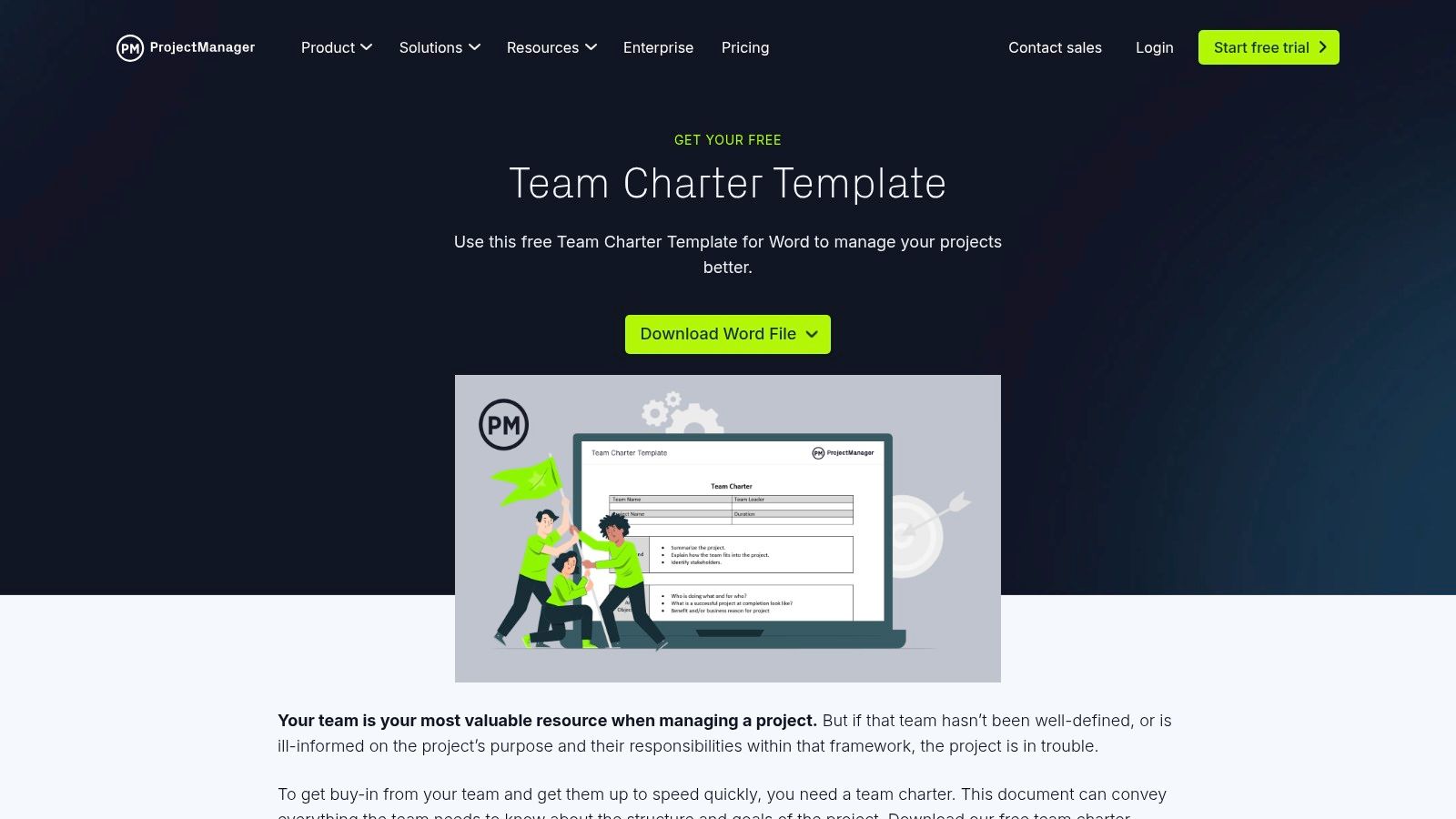
What makes this option distinct is its dual-purpose nature. Teams can use the Word document as a standalone artefact, or they can integrate the charter’s principles into the full ProjectManager.com platform to operationalise their agreements. This provides a clear upgrade path from a static document to a dynamic project management environment where charter commitments can be linked to tasks, milestones, and reports. The accompanying guide on their website offers practical advice on filling out each section, making it accessible even for managers new to creating team charters.
Key Considerations
- Best Use Case: Traditional project management offices (PMOs), teams needing a quick and simple documentation tool, or organisations evaluating ProjectManager.com’s wider software suite.
- Access: The Word template is completely free to download directly from their website, with no account creation required. Full platform integration requires a paid subscription.
- Limitations: As a standalone Word document, the template lacks real-time collaboration features and requires manual updates, which can lead to version control issues. Its design is functional but minimal, offering little in terms of visual customisation compared to more interactive digital tools.
Link: ProjectManager.com Team Charter Template
11. Figma FigJam
Figma’s FigJam platform offers a highly visual and interactive team charter template perfect for collaborative workshops and real-time co-creation. It transforms the chartering process from a static document-filling exercise into a dynamic, engaging session. The template leverages FigJam's digital whiteboard capabilities, allowing teams to use sticky notes, diagrams, and widgets to brainstorm and define their purpose, goals, values, and operational rhythms together.
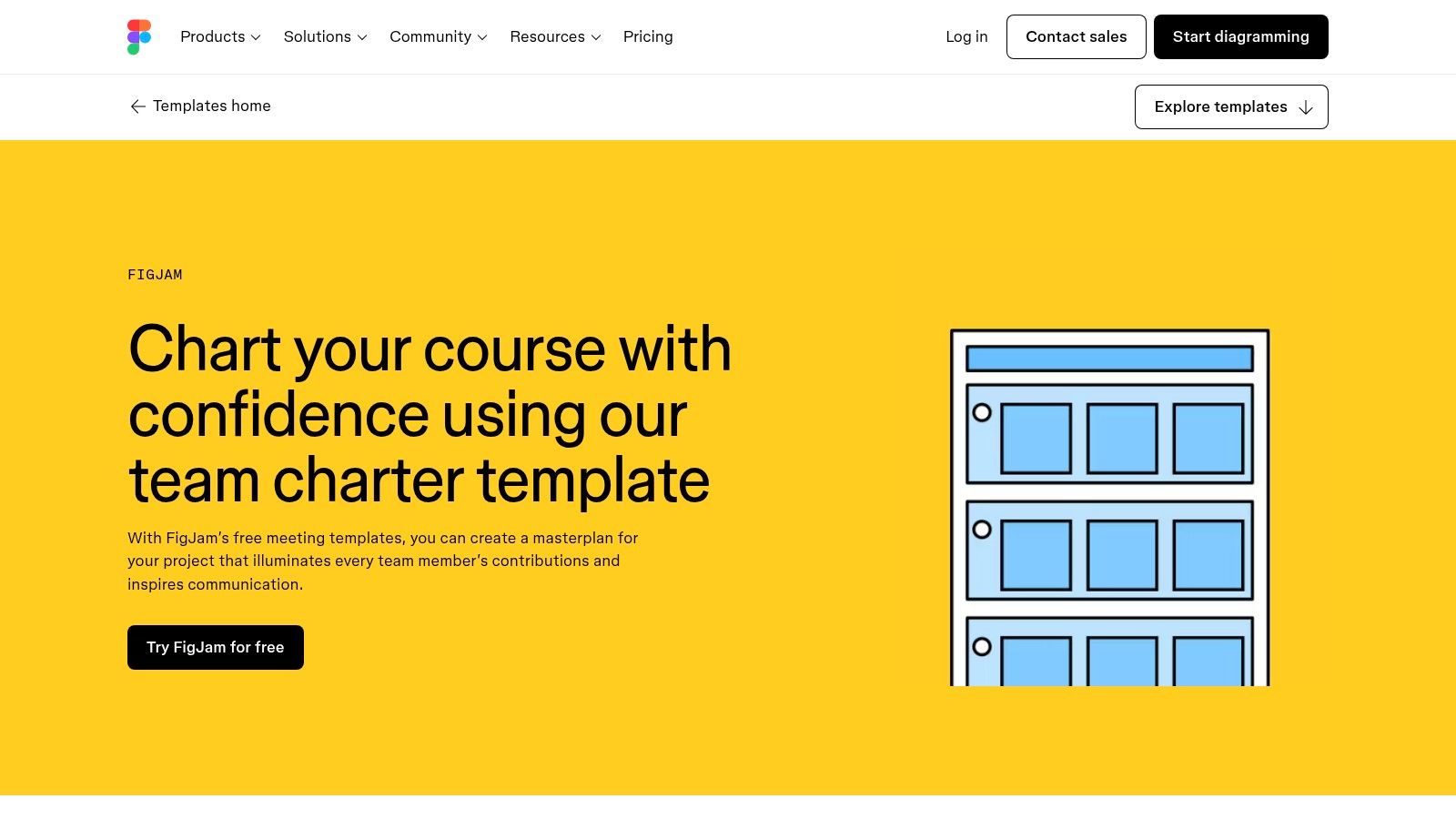
What makes this template stand out is its emphasis on facilitation and live interaction, making it ideal for remote or hybrid teams looking to build consensus visually. The browser-based interface ensures seamless real-time collaboration, where every participant can contribute simultaneously. Teams can easily remix community-made templates or build their own custom charter boards. This hands-on approach encourages collective ownership from the very beginning, ensuring the charter is a true reflection of the team's shared understanding rather than a top-down directive.
Key Considerations
- Best Use Case: Facilitated team-building workshops, project kickoff meetings for creative or design-focused teams, and any group that thrives on visual and interactive collaboration.
- Access: Requires a Figma account. The FigJam template is accessible on free plans, but more advanced features, such as open sessions for non-team members and enhanced sharing controls, are part of paid subscriptions.
- Limitations: Its primary strength is in live collaboration, so it may feel less formal than a traditional document. The full value is realised when the team is already comfortable working within the Figma ecosystem; otherwise, there might be a slight learning curve.
Link: Figma FigJam Team Charter Template
12. Notion
Notion offers a uniquely flexible and customisable environment for creating team charters templates that integrate seamlessly into a broader organisational knowledge base. Instead of a static document, a team charter in Notion is a dynamic page built with blocks, databases, and nested pages. This allows teams to collaboratively outline their mission, goals, roles, and operational rhythms in a highly structured yet adaptable format.
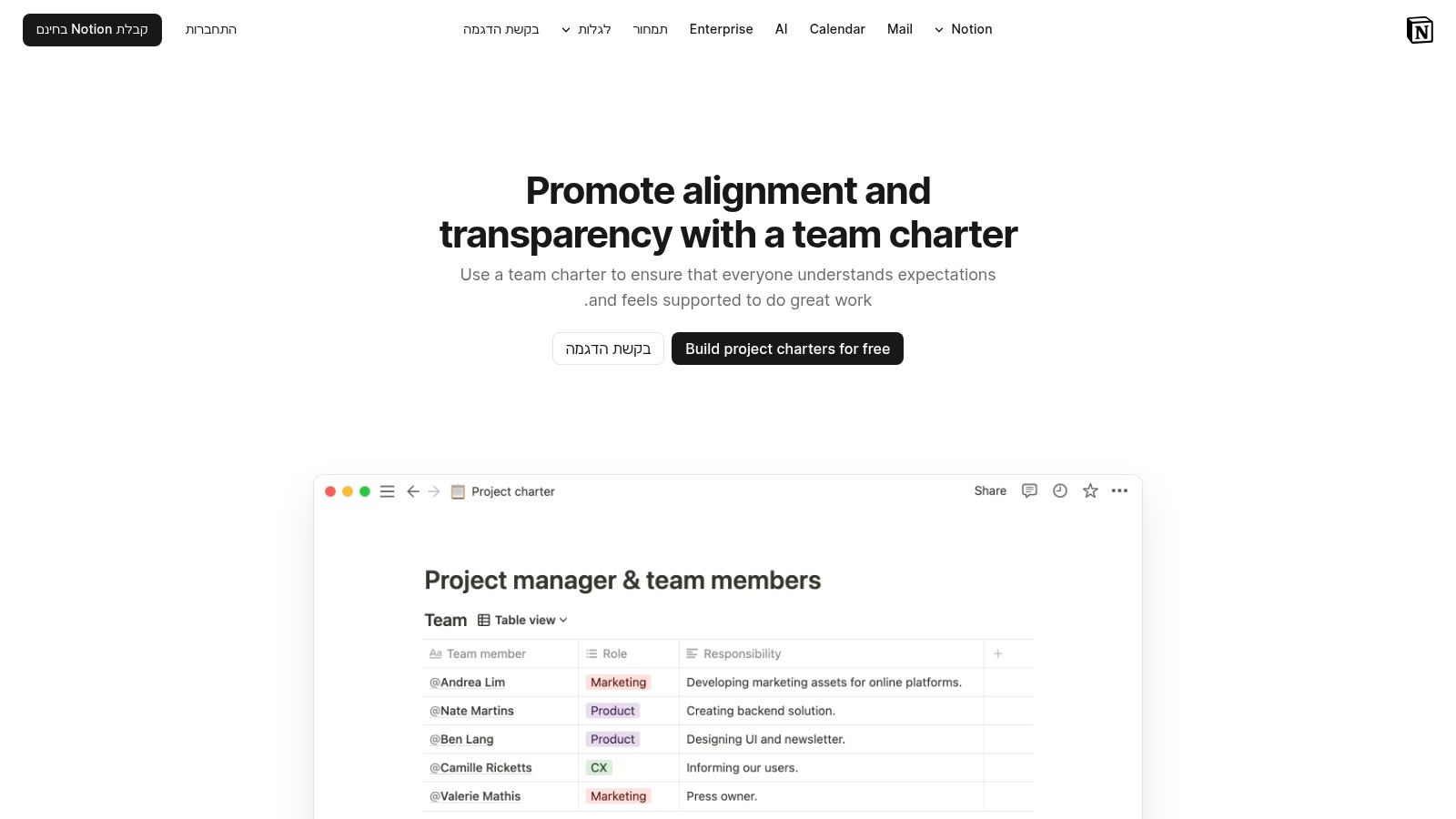
The platform’s strength lies in its ability to link the charter directly to other essential team resources, like project roadmaps, task lists, and meeting notes, creating a single source of truth. Real-time collaboration features ensure that the charter remains a living document, evolving with the team. This interconnectedness is particularly valuable for hybrid teams, where maintaining a central hub of information is key; you can discover more about fostering team cohesion in hybrid settings. By embedding the charter within the team's daily digital workspace, it becomes a practical guide rather than a forgotten formality.
Key Considerations
- Best Use Case: Tech-savvy teams, startups, and organisations that value a highly customisable, all-in-one workspace for documentation, project management, and collaboration.
- Access: Notion has a free personal plan with generous features. Team-oriented features like advanced permissions and collaboration tools are available on paid tiers.
- Limitations: The sheer flexibility can be overwhelming for new users, potentially leading to a longer setup time if not starting from a pre-built community template. Exporting and archiving content for offline use may also require additional steps or third-party integrations.
Link: Notion Team Charter Use Case
Team Charter Template Comparison — Top 12 Tools
| Tool | Core features & integrations | UX rating (★) | Value / Price (💰) | Target audience (👥) | Unique selling point (✨ / 🏆) |
|---|---|---|---|---|---|
| Atlassian Confluence | Structured team-charter template, real-time edit, Jira & enterprise controls | ★★★★ | 💰 Free with Confluence / paid enterprise | 👥 Enterprises & Atlassian shops | ✨ Governance + Jira linkage, great for audit/compliance 🏆 |
| Mural | Sticky-note canvas, facilitation steps, workshop templates | ★★★★ | 💰 Freemium → best on paid tiers | 👥 Facilitators & remote workshop teams | ✨ Guided facilitation flow for live workshops |
| Miro | Rich whiteboard widgets, Miroverse templates, exports | ★★★★ | 💰 Freemium; paid for advanced features | 👥 Remote teams & facilitators | ✨ Massive template ecosystem & flexible widgets 🏆 |
| Smartsheet | Downloadable templates (Word/Excel/Google/PPT/PDF), industry variants | ★★★ | 💰 Many free downloads; platform paid | 👥 PMOs & industry-specific teams | ✨ Multiple formats to avoid vendor lock-in |
| ClickUp | Doc + tasks, custom fields, turn charter items into tasks/reports | ★★★★ | 💰 Freemium; strong free tier | 👥 Ops, People Ops, teams who execute | ✨ Operationalizes charter into assignable work 🏆 |
| Asana | Project-style charter, assignable sections, approvals & integrations | ★★★★ | 💰 Freemium; account required | 👥 Teams needing clear ownership | ✨ Task-based visibility and KPI tracking |
| Lucid (Chart/Spark) | Diagram + whiteboard modes, embeds, Google/MS integrations | ★★★ | 💰 Freemium; paid for advanced export | 👥 Visual planners & hybrid teams | ✨ Blend of diagrams and freeform ideation |
| Canva (Docs) | Designed templates, collaborative editing, rich visuals & charts | ★★★ | 💰 Freemium; Pro for premium assets | 👥 Comms, brand & small teams | ✨ Fast branded, high-design charters |
| Template.net | Large downloadable library, many specialized subtypes | ★★★ | 💰 Free + paid templates / subscription | 👥 Admins needing quick one-offs | ✨ Huge selection across formats |
| ProjectManager.com | Simple Word template + how‑to guide, optional platform integration | ★★★ | 💰 Free template; platform paid | 👥 Traditional PMOs & quick docs | ✨ Low-friction, easy-to-use download |
| Figma FigJam | Interactive whiteboard, sticky notes, community remixable templates | ★★★★ | 💰 Freemium; best if on Figma | 👥 Design teams & co-creation workshops | ✨ Smooth real-time facilitation and visuals |
| Notion | Pages + databases, linked docs, permissions and templates | ★★★★ | 💰 Freemium; paid for teams | 👥 Teams wanting single source of truth | ✨ Highly customizable, integrates charter into knowledge base 🏆 |
From Static Document to Dynamic Intelligence: Powering Your Charter with Real-Time Feedback
Throughout this guide, we've explored a diverse landscape of team charters templates and the powerful platforms that house them. We've moved beyond simple downloadable documents, analyzing how tools like Miro, Mural, and FigJam foster real-time collaborative creation, while platforms like Asana, ClickUp, and Smartsheet integrate charters directly into project workflows. You've seen how Notion and Confluence can transform your charter into a living, searchable knowledge base. The core lesson is clear: the right template, housed in the right tool, elevates a team charter from a bureaucratic checkbox to a dynamic compass for team alignment and performance.
The most effective team charter is not a document that is created once and then archived. It is a living agreement that evolves with the team, its projects, and the organisational environment. The journey doesn't end when you select and fill out a template; that's merely the beginning. True strategic value is unlocked when the charter becomes a cornerstone of your team's operating rhythm, referenced in retrospectives, integrated into onboarding, and, most importantly, continuously refined with real-world data and feedback.
Key Takeaways and Your Next Steps
As you move forward, the critical task is to shift your perspective from charter creation to charter activation. An activated charter is one that actively informs decisions, shapes behaviours, and adapts to new information. It is measured, iterated upon, and deeply embedded in your team's culture.
To put this into practice, consider these actionable steps:
- Audit Your Current Needs: Before committing to a tool, reflect on your team's primary challenge. Is it initial alignment? Workflow integration? Knowledge management? A team struggling with brainstorming and initial buy-in will benefit more from a visual collaboration tool like Lucidspark, while a team needing to connect its charter to daily tasks will find more value in a project management platform like Asana.
- Prioritise Integration: The most powerful team charters templates are those that live where work happens. A beautifully designed charter in Canva that is never referenced is less effective than a simple, text-based charter in a shared Confluence space that is linked to every project brief. Evaluate how a potential tool integrates with your existing tech stack (e.g., Slack, Microsoft Teams, Jira) to reduce friction.
- Establish a Feedback Cadence: A charter without a feedback loop will quickly become obsolete. Schedule regular check-ins (e.g., quarterly) to review the charter with your team. Ask critical questions: Do our stated values reflect our daily actions? Are our communication protocols still effective? Are our KPIs still the right measures of success? This transforms the charter from a static document into a tool for continuous improvement.
The Charter as a Source of Business Intelligence
Ultimately, the most advanced organisations treat their team charters not just as operational guides but as a source of invaluable business intelligence. When you consistently track how well a team adheres to its charter and correlate that with performance KPIs, you begin to uncover powerful insights. This goes far beyond the capabilities of a standard HR survey tool, which can tell you that a team is disengaged but not why. A business intelligence approach, by contrast, can show you that teams with clearly defined communication norms in their charter have 15% fewer project delays, as noted in a 2022 Project Management Institute report. This is where the charter transcends its initial purpose and becomes a strategic asset.
By selecting the right platform and committing to an iterative process fueled by employee feedback and performance data, you do more than just document team norms. You build a resilient, self-aware, and high-performing organisational culture, one team at a time. The perfect team charter template isn't just about getting started; it's about building a framework for sustained, intelligent growth.
Ready to move beyond static documents and power your team agreements with real-time, actionable insights? Wurkn is the business intelligence platform that connects your team’s lived experiences to performance outcomes, transforming your charter from a simple guide into a predictive engine for success. Discover how to activate your team charter by visiting Wurkn today.